Track what you hear on gds.fm
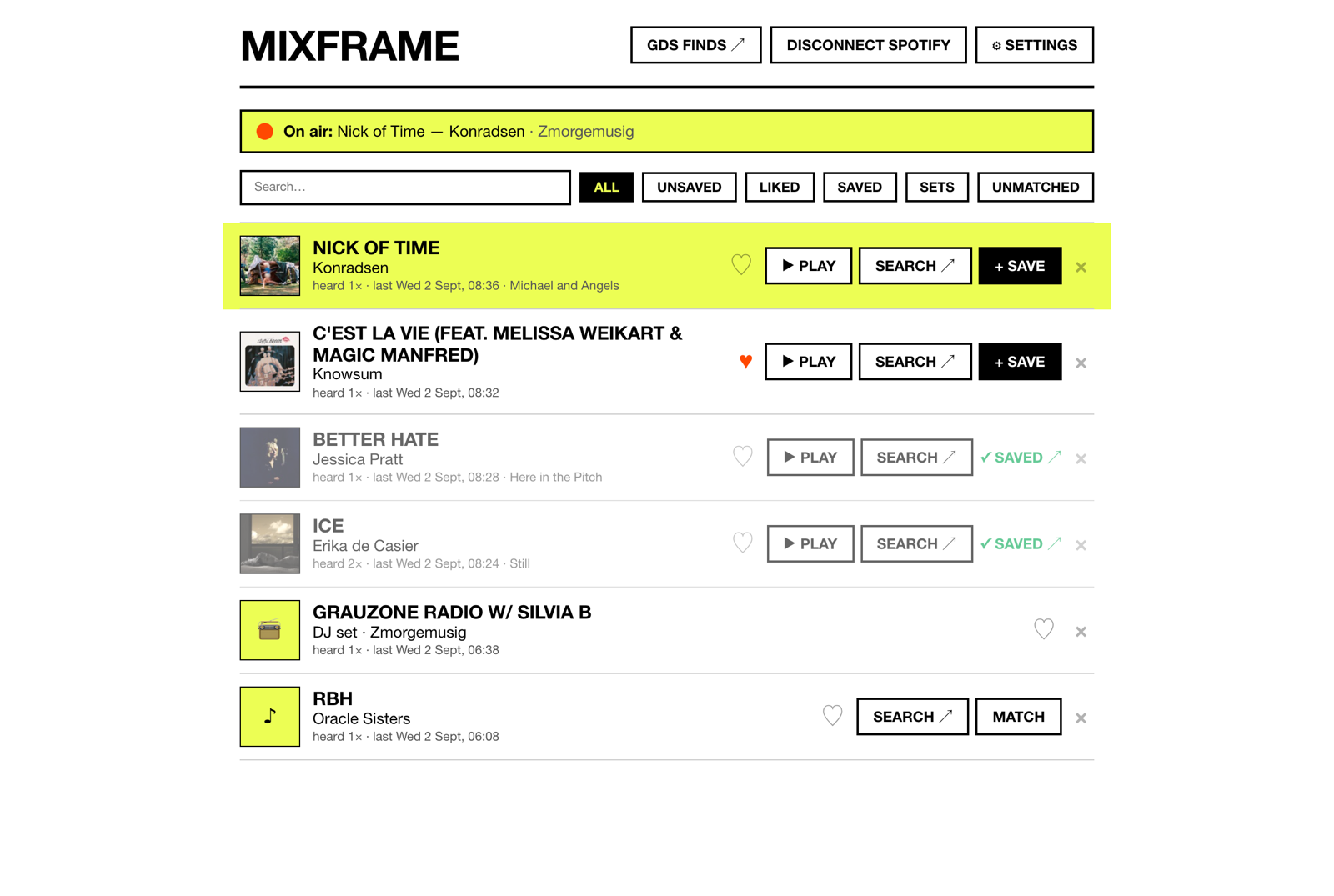
A Chrome extension that logs what the station plays while you listen, matches each track on Spotify, and saves the ones you like to a playlist. No switching tabs mid-track.
Runs while you listen
Capture only runs while a gds.fm tab is playing audio. Stop the stream and it stops. No account, no server. Everything stays in your browser.
Save to Spotify
Tracks are matched as they air. Save to a playlist of your choosing (GDS finds by default), or like a track locally if Spotify doesn't have it.
Handles DJ sets
When the station airs a set, mixframe logs it as a set rather than a track, so you still have a record of it without pointless Spotify searches.
Storage
Tracks you didn't like or save are pruned after a week (configurable, up to never). Liked and saved tracks are kept. If storage fills, capture pauses and tells you.
The popup
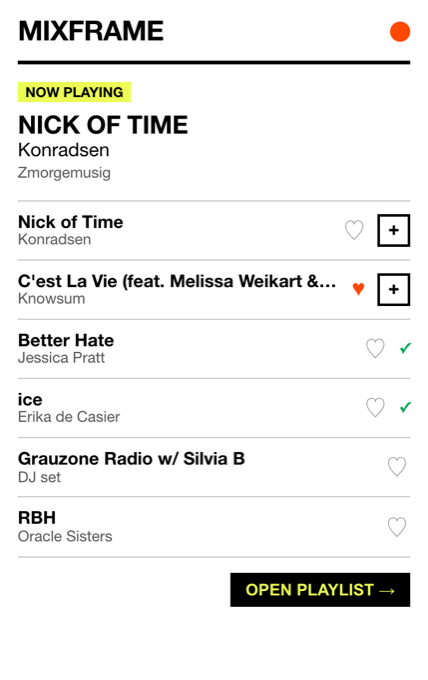
Shows what's playing now, the last few tracks, and like and save buttons, without leaving the tab you're in.
The full page has the history: search, filters, play counts, an embedded player for checking a track before saving it, and delete.
Install
- Download the zip and unpack it somewhere permanent. Chrome reads the folder in place.
- Open
chrome://extensions, switch on Developer mode, hit Load unpacked and pick the folder. - Open the extension, connect Spotify, play some radio.
Not on the Chrome Web Store. Spotify's development-mode quota caps the shared app at 25 users, so if you'd like access, get in touch and I'll add you to the allowlist.